



























Key Takeaways
- Digital Asset Management (DAM) systems centralize business assets by storing images, videos, documents, and other digital files in one secure repository.
- A DAM platform improves productivity and collaboration through AI-powered search, metadata tagging, version control, and role-based permissions.
- Implementing a DAM solution strengthens brand consistency and security by ensuring employees always use approved assets while protecting sensitive files.
- Choosing the right DAM software requires evaluating scalability, integration capabilities, security features, user experience, and pricing.
- Investing in a modern Digital Asset Management platform delivers long-term value by reducing operational costs and minimizing duplicate work.
Managing digital content has become increasingly challenging as businesses create thousands of files, including images, videos, documents, presentations, audio files, logos, and marketing materials. Without a centralized system, teams often struggle to locate the right files, leading to duplicated work, inconsistent branding, and wasted time.
This is where Digital Asset Management (DAM) systems play a crucial role. A DAM platform provides a centralized repository where organizations can securely store, organize, manage, and distribute digital assets. Whether you are a marketing agency, eCommerce business, healthcare provider, educational institution, or enterprise organization, a DAM system streamlines workflows while improving collaboration and ensuring brand consistency.
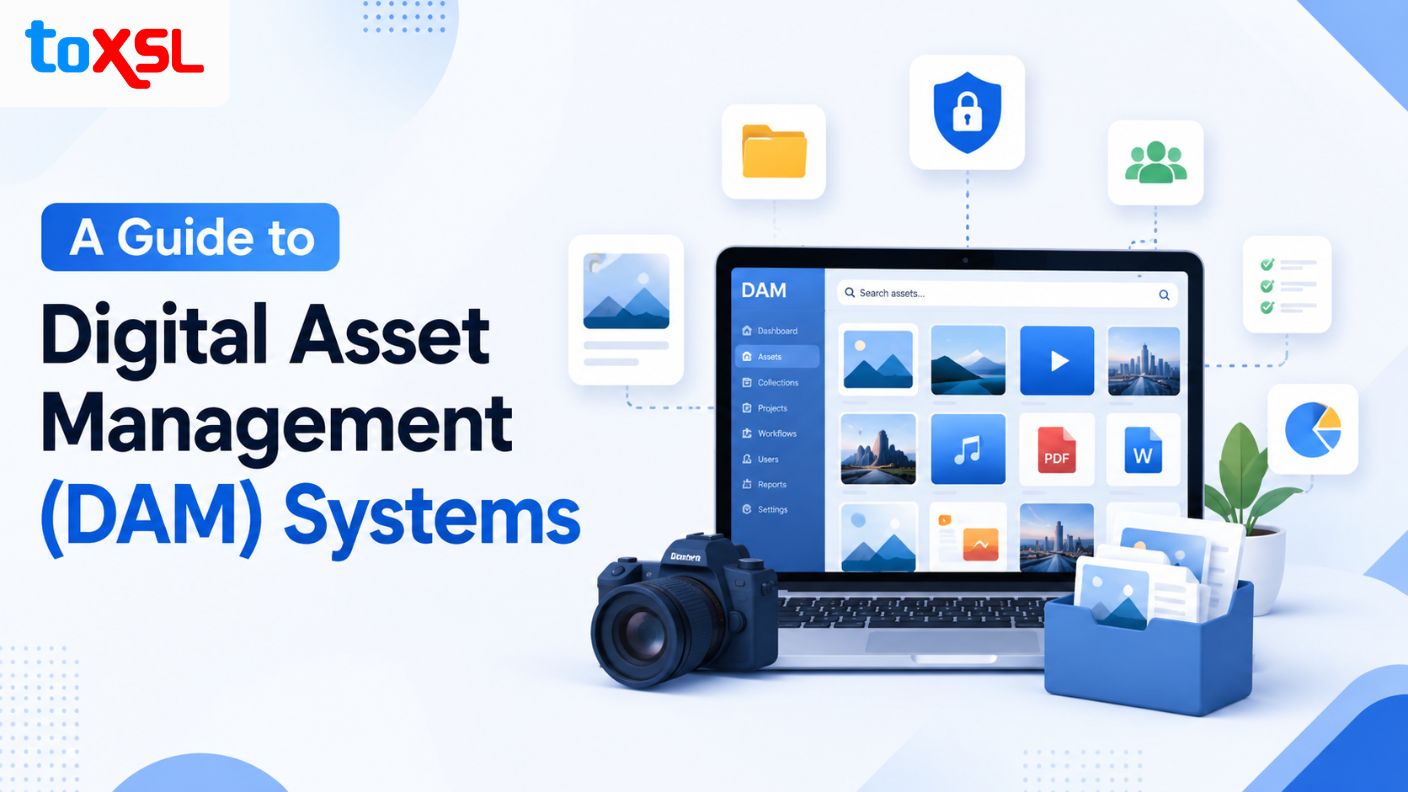
According to industry research, the global Digital Asset Management (DAM) market is experiencing rapid growth, with its market size projected to increase from USD 6.6 billion in 2026 to USD 11.9 billion by 2030, registering a compound annual growth rate (CAGR) of 16% during the forecast period. This growth is fueled by the rising demand for centralized digital content management, AI-powered asset organization, cloud-based solutions, and the increasing need for efficient collaboration across modern enterprises. In this comprehensive guide, we'll explore everything you need to know about Digital Asset Management systems, including their benefits, essential features, pricing, and how to choose the right DAM software for your business.
What is a Digital Asset Management (DAM) System?
A Digital Asset Management system is a centralized software solution that helps businesses store, organize, manage, retrieve, and share digital assets such as images, videos, documents, presentations, logos, audio files, and marketing materials. By keeping all digital content in one secure location, a DAM platform eliminates scattered files, reduces duplication, and ensures teams always have access to the latest approved versions.
Modern DAM systems also include advanced features such as AI-powered search, metadata tagging, version control, workflow automation, user permissions, and analytics, enabling organizations to improve collaboration, maintain brand consistency, enhance security, and streamline digital content management across departments.
Why Every Modern Business Needs a Digital Asset Management (DAM) Platform
As businesses generate an ever-increasing volume of digital content, managing assets efficiently becomes essential for maintaining productivity and consistency. A Digital Asset Management (DAM) platform centralizes files, streamlines collaboration, enhances security, and simplifies content distribution. It enables organizations to reduce operational inefficiencies, improve brand governance, and ensure quick access to approved digital assets across departments.
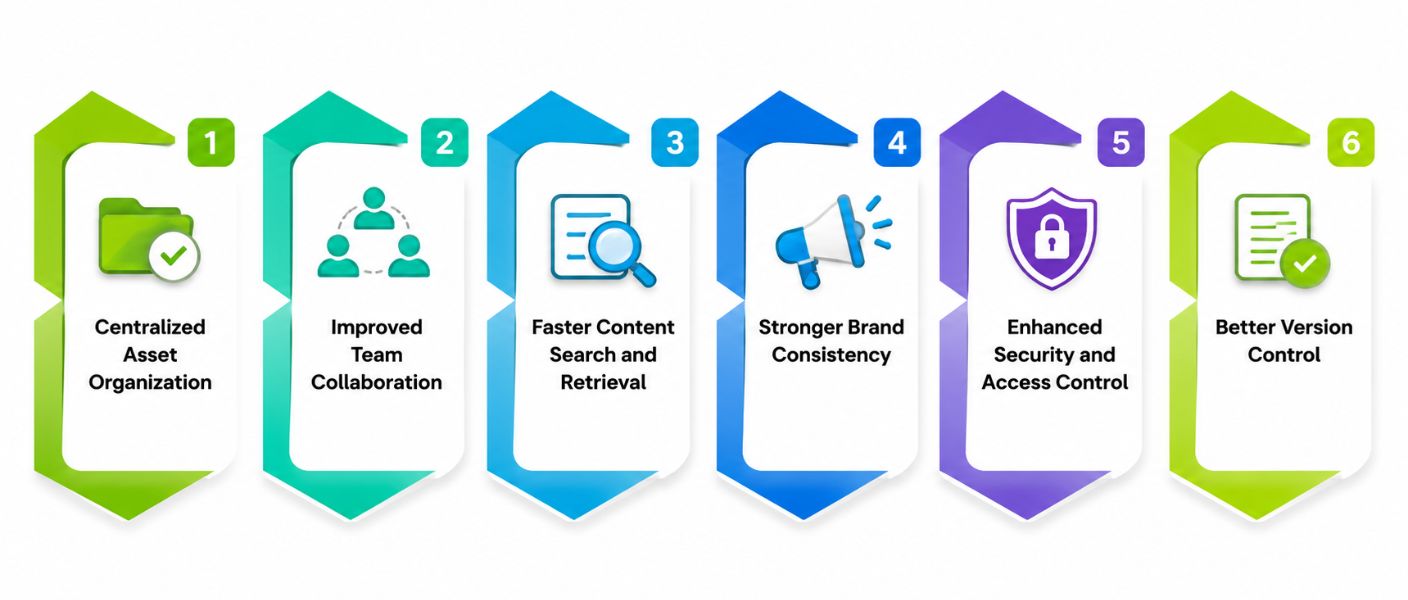
1. Centralized Asset Organization
A DAM platform stores all digital assets in one secure, searchable repository, eliminating scattered files across multiple devices and cloud storage platforms. This centralized approach helps employees quickly locate the latest approved assets, reduces duplication, and ensures consistent access to business-critical content across departments and locations.
2. Improved Team Collaboration
Marketing, design, sales, and external partners can work together seamlessly using a shared asset library. Team members can easily upload, review, edit, approve, and distribute content without relying on lengthy email chains, improving communication, reducing project delays, and increasing overall productivity throughout the organization.
3. Faster Content Search and Retrieval
Advanced search capabilities powered by metadata, tags, keywords, and AI enable users to locate digital assets within seconds. Employees spend less time searching through folders and more time completing high-value tasks, significantly improving workflow efficiency and reducing operational bottlenecks across teams.
4. Stronger Brand Consistency
A DAM platform ensures employees and partners always access the latest approved logos, marketing materials, templates, and brand guidelines. This helps maintain a consistent brand identity across websites, advertisements, social media, and customer communications while preventing the accidental use of outdated assets.
5. Enhanced Security and Access Control
Role-based permissions, encryption, and activity logs allow businesses to protect sensitive digital assets from unauthorized access. Administrators can define user roles, monitor asset usage, and ensure confidential information remains secure while maintaining compliance with organizational policies and industry regulations.
6. Better Version Control
Version control automatically tracks every modification made to digital assets, allowing teams to view previous versions, restore older files, and avoid confusion caused by multiple copies. This ensures everyone works with the latest approved content while maintaining a complete edit history.
Top Benefits of Implementing a Digital Asset Management Platform
Managing digital content becomes increasingly complex as organizations grow. A Digital Asset Management (DAM) platform helps businesses centralize, organize, and distribute assets efficiently while improving collaboration, security, and productivity. Investing in the right DAM solution allows teams to save time, protect valuable content, and maintain brand consistency across every marketing channel.
1. Centralized Asset Storage
A DAM platform stores every digital asset in one secure location, eliminating scattered files across personal devices, cloud storage, and email attachments. Employees can quickly locate approved assets, reducing duplication while improving collaboration between departments and ensuring everyone works from the latest version.
- Single source of truth
- Easy file organization
- Reduced duplicate content
- Faster asset retrieval
2. Improved Team Collaboration
Marketing, design, sales, and external partners can collaborate using shared assets within one platform. Team members can review, approve, edit, and distribute content efficiently without exchanging multiple email attachments, reducing communication gaps and improving overall project turnaround times.
- Better teamwork
- Faster approvals
- Improved communication
- Reduced email dependency
3. Faster Asset Search and Retrieval
Advanced metadata, tags, categories, keywords, and AI-powered search capabilities help users locate files within seconds instead of manually browsing folders. Employees spend less time searching for content and more time focusing on creative and strategic business initiatives.
- AI-powered search
- Smart tagging
- Quick file discovery
- Higher productivity
4. Stronger Brand Consistency
A DAM platform ensures employees and partners always access approved logos, templates, brand guidelines, videos, and marketing materials. This prevents outdated assets from being used while maintaining consistent branding across websites, advertisements, social media, and customer communications.
- Consistent branding
- Approved assets only
- Reduced branding errors
- Better customer experience
5. Enhanced Security and Access Control
Role-based permissions allow administrators to control who can view, edit, download, or share specific assets. Encryption, audit logs, and secure cloud storage further protect sensitive business information while ensuring compliance with organizational security policies and industry regulations.
- Role-based permissions
- Secure cloud storage
- Activity tracking
- Data protection
6. Better Version Control
Version management prevents confusion by maintaining a complete history of every file update. Users can access previous versions, compare changes, restore older files when needed, and ensure everyone always works with the most current approved asset.
- Automatic version history
- Easy rollback
- Fewer mistakes
- Better document control
7. Increased Marketing Efficiency
Marketing teams can instantly access campaign assets, advertisements, product images, promotional videos, and creative files from one centralized repository. This significantly reduces campaign preparation time while enabling faster launches and improving marketing productivity.
- Faster campaign launches
- Organized marketing assets
- Reduced production delays
- Higher efficiency
8. Cost Savings
By eliminating duplicate work, minimizing lost assets, improving operational efficiency, and reducing storage fragmentation, businesses lower overall content management costs. DAM platforms also decrease software redundancy and optimize employee productivity, generating long-term financial savings.
- Reduced operational costs
- Better resource utilization
- Less duplicate work
- Improved ROI
Essential Features Every Digital Asset Management Platform Should Offer
Selecting the right Digital Asset Management (DAM) platform is essential for businesses looking to efficiently organize, secure, and manage their growing collection of digital assets. A modern DAM solution does much more than simply store files, it acts as a centralized hub that streamlines content management, enhances collaboration, automates workflows, and ensures brand consistency across the organization. With AI-powered capabilities, advanced security, metadata management, and seamless integrations, a feature-rich DAM platform enables teams to locate, share, and distribute digital assets quickly while reducing manual effort and operational inefficiencies. Below are the essential features every business should consider when choosing a Digital Asset Management platform.
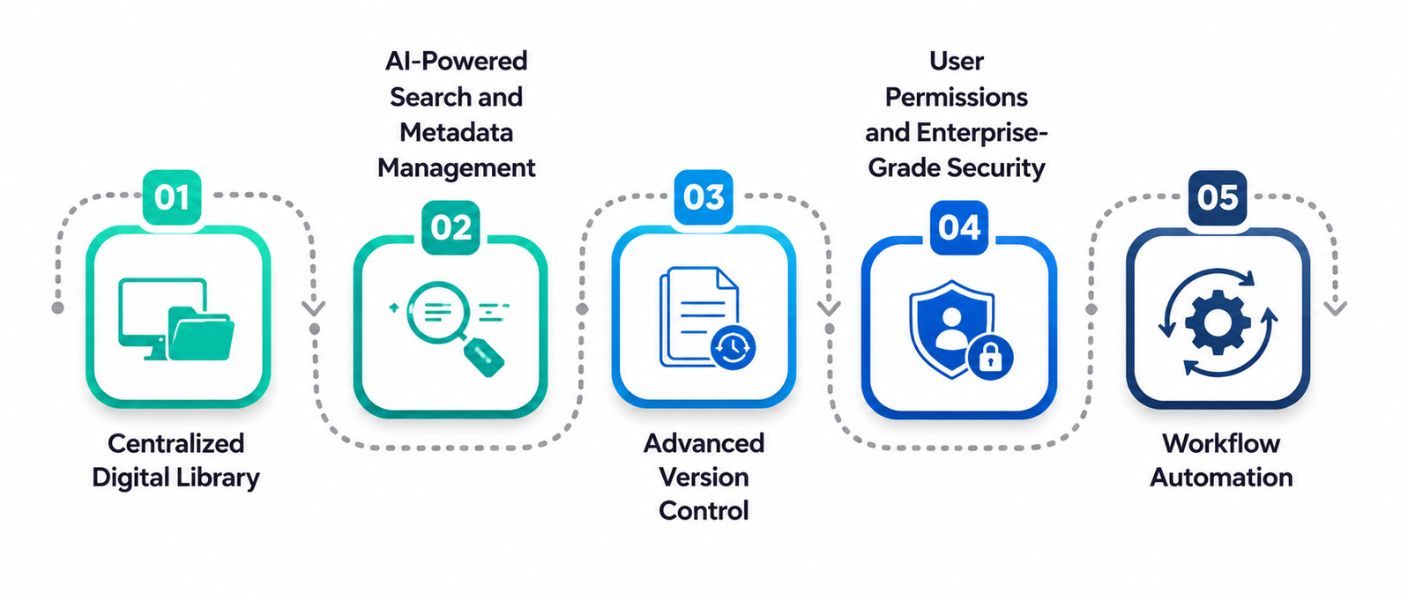
1. Centralized Digital Library
A Centralized Digital Library is the foundation of a Digital Asset Management (DAM) platform, allowing businesses to store, organize, and access all digital assets from one secure location. It simplifies content management, improves collaboration, and ensures teams always work with the latest approved files.
- Stores all digital assets in a single, secure, and organized repository.
- Eliminates duplicate files and provides access to the latest approved versions.
- Improves collaboration across departments and remote teams with easy file accessibility.
2. AI-Powered Search and Metadata Management
AI-Powered Search and Metadata Management helps organizations quickly find digital assets by automatically organizing files with intelligent tags and metadata. This feature saves time, improves search accuracy, and makes large asset libraries easier to manage.
- Automatically tags assets using AI, keywords, categories, and image recognition.
- Enables users to locate files instantly through smart search functionality.
- Improves content discoverability while reducing manual asset organization efforts.
3. Advanced Version Control
Advanced Version Control ensures every update made to a digital asset is tracked and recorded. It helps teams manage revisions, prevent confusion caused by duplicate files, and maintain a complete history of changes.
- Tracks every file modification and securely stores previous versions.
- Allows users to compare revisions and restore older versions when needed.
- Ensures teams always access the latest approved asset with complete edit history.
4. User Permissions and Enterprise-Grade Security
User Permissions and Enterprise-Grade Security protect valuable business assets by controlling access and securing sensitive information. Role-based permissions and advanced security measures help organizations safeguard content while meeting compliance requirements.
- Controls user access with role-based permissions for viewing, editing, and sharing.
- Protects assets through encryption, secure cloud storage, and multi-factor authentication.
- Maintains audit logs and activity tracking to improve security and regulatory compliance.
5. Workflow Automation
Workflow Automation streamlines repetitive asset management tasks, allowing organizations to improve efficiency and accelerate content delivery. Automated workflows reduce manual effort while ensuring every asset follows the correct approval process.
- Automates approvals, reviews, publishing, notifications, and asset distribution.
- Reduces manual errors and speeds up content management processes.
- Improves collaboration and enables teams to focus on high-value business activities.
How to Select the Best Digital Asset Management Software for Your Business
Selecting the right Digital Asset Management (DAM) software is a critical decision that can significantly impact how efficiently your organization stores, organizes, secures, and distributes digital content. With numerous DAM solutions available in the market, choosing the right platform requires careful evaluation of your business goals, current workflows, asset volume, security requirements, integration capabilities, and future scalability. Below are the key factors every business should consider before investing in a Digital Asset Management solution.
1. Assess Your Business Requirements
Before comparing different DAM platforms, clearly define your organization's requirements and objectives. Consider the types of digital assets you manage, including images, videos, presentations, documents, design files, and marketing materials. Evaluate the number of users who will access the platform, the storage capacity you require, and the workflows that need automation. Understanding your business needs helps you identify a solution that aligns with your operational goals and prevents unnecessary spending on features you may never use.
2. Evaluate Security and Compliance Features
Digital assets often contain valuable intellectual property, confidential business information, and customer-related data, making security one of the most important selection criteria. Choose a DAM platform that provides enterprise-grade security features such as data encryption, role-based access control, multi-factor authentication, secure file sharing, audit logs, and automatic backups. If your business operates in regulated industries such as healthcare, finance, or legal services, ensure the platform complies with relevant industry standards and regulatory requirements.
3. Consider Scalability and Future Growth
Your DAM solution should be capable of growing alongside your business. As organizations expand, they generate larger volumes of digital assets and onboard more employees, clients, and external collaborators. Selecting a scalable platform ensures that you can increase storage capacity, add users, manage additional asset types, and integrate new technologies without migrating to a different system in the future.
4. Review Integration Capabilities
A Digital Asset Management platform should integrate seamlessly with the software your teams already use every day. Look for solutions that connect with Customer Relationship Management (CRM) systems, Content Management Systems (CMS), Enterprise Resource Planning (ERP) software, Adobe Creative Cloud, Microsoft Office, marketing automation platforms, cloud storage services, and project management tools.
5. Compare Pricing and Total Cost
While pricing is an important factor, businesses should evaluate the total cost of ownership rather than focusing solely on subscription fees. Consider expenses such as implementation, customization, user licenses, cloud storage, training, technical support, software upgrades, maintenance, and future scalability. Some DAM vendors offer affordable entry-level plans but charge additional fees for advanced features or increased storage. Comparing the complete cost structure allows businesses to choose a solution that fits their budget while delivering the best long-term value and return on investment.
6. Test the User Experience
Even the most feature-rich DAM platform will fail to deliver value if employees find it difficult to use. Request a product demonstration or free trial to evaluate the software's interface, navigation, search functionality, upload process, collaboration tools, and overall user experience. A simple and intuitive platform reduces the learning curve, encourages employee adoption, and improves overall productivity.
7. Assess Customer Support
The success of your DAM implementation depends not only on the software itself but also on the vendor's expertise and ongoing support. Research the vendor's industry experience, customer reviews, case studies, and client testimonials to understand their track record. Reliable vendors should provide comprehensive onboarding assistance, employee training, technical documentation, regular software updates, and responsive customer support.
8. Reporting and Analytics Capabilities
Modern DAM platforms provide detailed reporting and analytics that help businesses understand how digital assets are being used across the organization. Look for software that offers insights into asset downloads, user activity, content performance, storage utilization, sharing history, and workflow efficiency. These analytics enable businesses to identify high-performing assets, eliminate underutilized content, optimize marketing strategies, and make data-driven decisions that improve the overall effectiveness of digital asset management.
Digital Asset Management Platform: Cost Analysis
The cost of a Digital Asset Management platform depends on factors such as deployment type, storage capacity, number of users, customization requirements, integrations, AI capabilities, and ongoing support. While cloud-based solutions generally operate on a subscription model, enterprise-grade DAM systems may involve implementation, migration, and customization costs in addition to licensing fees.
DAM Solution Type | Best For | Estimated Cost |
Basic Cloud DAM | Small businesses | $20–$100 per user/month |
Professional DAM | Growing companies | $100–$500 per month |
Business DAM | Mid-sized organizations | $500–$2,000 per month |
Enterprise DAM | Large enterprises | $2,000–$10,000+ per month |
Custom DAM Development | Businesses with unique requirements | $20,000–$150,000+ (one-time development) |
Implementation & Data Migration | Optional | $2,000–$25,000 |
Staff Training | Optional | $500–$10,000 |
Annual Maintenance & Support | Ongoing | 15–25% of implementation cost annually |
Conclusion
Digital Asset Management (DAM) systems have become an essential investment for organizations that rely on digital content to support marketing, branding, sales, and daily operations. By centralizing assets, improving collaboration, strengthening security, and automating workflows, a DAM platform helps businesses save time, reduce costs, and maintain brand consistency across every channel. Choosing the right DAM solution depends on your organization's size, operational requirements, budget, and future growth plans. A scalable, feature-rich platform ensures your digital assets remain organized, secure, and easily accessible while enabling teams to work more efficiently.
At ToXSL Technologies, we specialize in developing custom Digital Asset Management solutions tailored to your business needs. From cloud-based DAM platforms to AI-powered asset management systems with advanced integrations and automation, our experts build secure, scalable, and high-performance solutions that streamline digital operations and maximize business productivity.
Frequently Asked Questions
1. Why should businesses invest in a Digital Asset Management (DAM) platform?
A DAM platform helps businesses centralize digital assets, improve collaboration, strengthen brand consistency, enhance security, and streamline workflows. It reduces time spent searching for files while increasing productivity and operational efficiency across departments.
2. Which industries benefit the most from Digital Asset Management software?
Industries such as retail, eCommerce, healthcare, education, manufacturing, media, real estate, finance, and marketing agencies benefit significantly from DAM software because they manage large volumes of digital content and require secure, organized asset management.
3. How does a DAM platform improve business productivity?
By providing centralized storage, AI-powered search, workflow automation, and version control, a DAM platform enables employees to locate, share, and manage digital assets quickly, reducing manual work and accelerating project completion.
4. Can a Digital Asset Management system integrate with existing business software?
Yes. Most modern DAM platforms integrate seamlessly with CRM, CMS, ERP, Adobe Creative Cloud, Microsoft 365, marketing automation tools, and cloud storage services, enabling smooth workflows and improved operational efficiency.
5. Is a Digital Asset Management platform suitable for small and medium-sized businesses?
Absolutely. Modern DAM solutions are available in scalable pricing models, allowing startups, SMEs, and large enterprises to choose a platform that fits their budget, storage requirements, and business growth plans.
6. How secure is a Digital Asset Management platform for business data?
Enterprise-grade DAM platforms include advanced security features such as role-based access control, data encryption, multi-factor authentication, audit logs, and secure cloud storage to protect valuable digital assets from unauthorized access.
7. What factors should businesses consider before choosing a DAM solution?
Businesses should evaluate storage capacity, scalability, AI-powered search, security features, integration capabilities, workflow automation, ease of use, vendor support, and total cost of ownership before selecting a DAM platform.
8. Why choose ToXSL Technologies for Digital Asset Management software development?
ToXSL Technologies develops secure, scalable, and customized Digital Asset Management solutions tailored to unique business requirements. Our experienced development team builds feature-rich DAM platforms with AI capabilities, seamless integrations, workflow automation, and enterprise-grade security to help businesses efficiently manage and maximize the value of their digital assets.